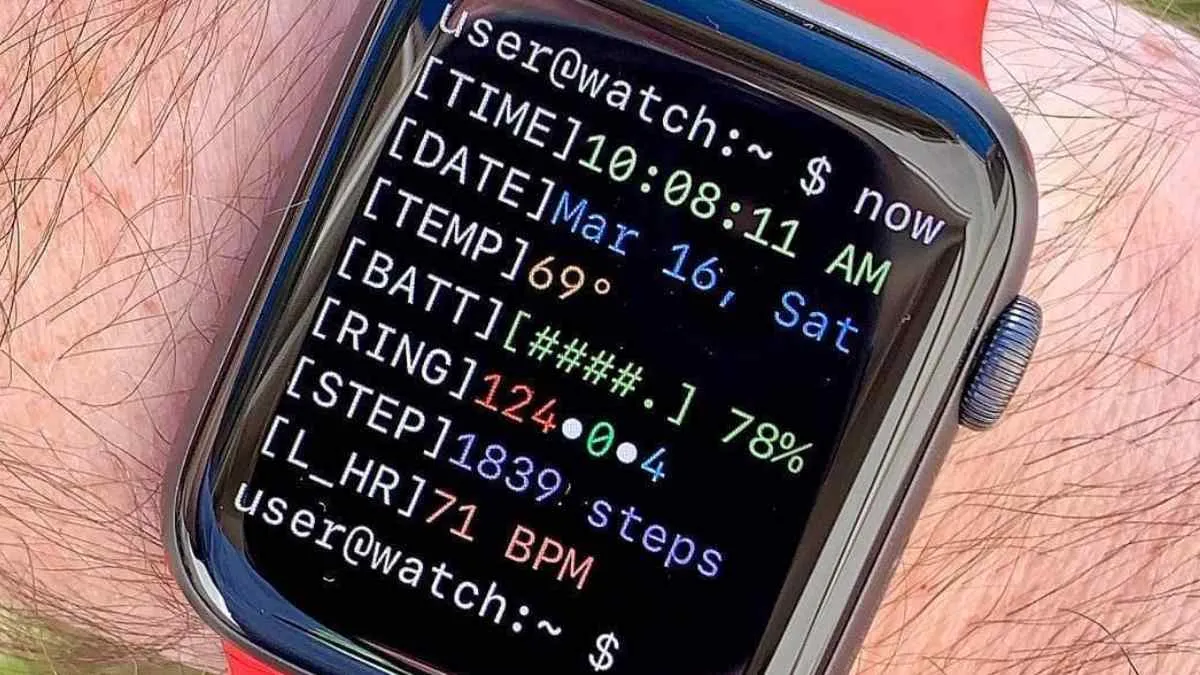
Sometimes the most satisfying projects come from combining entirely unrelated interests. In this case, it was running and coding. I wanted to build a custom watch face for my Garmin Forerunner 55 that moved beyond standard gauges and numbers. I wanted it to look like a code editor—specifically, like a snippet of JavaScript running on my wrist.
The result is a watch face that frames your daily life as a structured object. Your heart rate, step count, and sunrise times aren’t just numbers; they’re properties of a WatchInfo instance, complete with monospaced typography and syntax highlighting that any developer would recognize.
The Goal: Syntax Highlighting for the Soul
The goal was to build an interface that sells the “code editor” illusion without sacrificing glanceability. A watch face has to communicate in a fraction of a second, often while you’re mid-stride on a run. By using a monospaced font and a strict color palette, I was able to create a layout that feels technically dense but remains surprisingly easy to read.
Instead of the usual watch layout with large numbers and icons, the interface mimics a small code snippet.
Things like time, steps, and heart rate are displayed as fields inside a structured object.
Example layout:
WatchInfo {
  time: "10:30",
  date: "2024-01-31",
  steps: 4500,
  heartRate: "75 bpm",
  sunrise: "06:45",
  sunset: "17:30"
}
The layout uses a monospaced font and color styling similar to the VS Code editor to create the illusion of syntax highlighting.
Design Choices
Monospaced Font
Using a monospaced font helps sell the “code editor” illusion. It also keeps the layout predictable and easy to align on a small screen.
Syntax Highlighting
Different pieces of information use slightly different colors, similar to how variables and values are highlighted in a code editor.
Minimal Layout
Garmin watches have limited screen space, so the design had to stay simple. The goal was to keep the coding theme while still making the information easy to read during a run.
Implementation
The watch face was built using Garmin’s Connect IQ SDK and written in Monkey C, Garmin’s programming language for wearable apps.
The main tasks were:
- designing the layout for a small display
- updating data fields in real time
- keeping the rendering efficient to preserve battery life
Testing was done both in the Garmin simulator and on the actual device.
Final Thoughts
The interesting constraint was glanceability. A watch face has to communicate in a fraction of a second, often while moving. The VS Code theme could not come at the cost of legibility. That meant keeping the number of fields limited, using predictable alignment, and making sure the most important values still stood out even though everything looked like code.
Battery life was another practical concern. Decorative redraws and unnecessary updates are not free on a wearable device. The implementation needed to update live data without treating the watch screen like a constantly animated web page. That limitation made the project a better design exercise because every visual decision had to justify itself.
If I revisited it, I would test a few more color themes based on popular editor palettes and make the data fields configurable. The core idea works because it is personal; letting the wearer choose which metrics appear would make it more useful without losing the code-editor identity.
I would also document the Connect IQ setup more clearly, because getting from idea to device is the least obvious part for anyone building their first Garmin watch face.
That setup friction is easy to forget after the project works, but it matters for anyone trying to repeat it. A future write-up could include the SDK install steps, simulator workflow, device transfer process, and the small limitations I only noticed once the face was running on real hardware.
This was a small but fun side project that combines two things I spend a lot of time with: writing code and going for runs.
It’s also a nice reminder that not every project needs to be serious or complicated. Sometimes it’s enough to build something that simply makes you smile when you look at your watch.

Watch face preview.