Lunch is a surprisingly frequent topic in office Slack channels.
Someone asks where to eat, someone else checks a restaurant website, and a few minutes later the whole discussion starts again the next day. I built LunchBot because I wanted to kill that cycle of daily office friction with a bit of simple automation.
The Goal: One Command, All the Menus
The idea was to take the friction out of the “where are we eating?” debate. Instead of opening multiple browser tabs every day, I wanted the team to be able to type a single command and see every nearby option instantly.
- Scrape lunch menus from local restaurant websites.
- Normalize the data into a clean, readable format.
- Post the results directly into Slack where the conversation is already happening.
Tech Stack
The project is intentionally lightweight and built with just a few tools.
Node.js
The bot runs on Node.js, which makes it easy to handle asynchronous tasks like HTTP requests and scraping.
Cheerio
To extract menu data from restaurant websites, I used Cheerio.
It provides a jQuery-like API for parsing HTML, which makes scraping structured data much easier.
Slack API
The Slack API allows the bot to send messages directly to a Slack channel. Once the menus are collected and formatted, the bot posts them as a message.
How It Works
Fetching Menus
LunchBot requests the restaurant websites and downloads the HTML content.
Each restaurant page has its own structure, so I wrote small parsing functions that extract the relevant menu items.
Parsing the Data
Using Cheerio, the bot selects the elements containing the menu text and converts them into a cleaner format.
Posting to Slack
Once the menu data is prepared, the bot sends a formatted message to Slack so the team can see the options immediately.
Challenges
Even for a small project, a few things turned out to be trickier than expected.
Different website structures
Each restaurant page was structured differently, so the scraper logic had to be adapted for each one.
Formatting messages for Slack
Slack messages have their own formatting rules, so getting the menus to display nicely required a bit of experimentation.
Handling async requests
Fetching multiple websites at once means dealing with asynchronous code. Using async/await helped keep things readable.
What I Learned
LunchBot was a great small project for experimenting with:
- web scraping
- Slack integrations
- Node.js automation scripts
More importantly, it turned out to be genuinely useful. Once it was running, it quickly became part of the daily workflow in our office.
What Came Next
The original LunchBot was useful because it solved one narrow workplace problem without asking anyone to change habits. People were already in Slack, so Slack was the right interface. That is a good lesson for automation projects: meet the workflow where it already happens instead of forcing a new destination.
It also showed where the first version was limited. Scraping raw menu text was enough for a small bot, but it was not consistent enough for a polished web dashboard. Different restaurant formats, languages, and missing prices made the output uneven. Those constraints are what eventually pushed the project toward PasiLunch, where menu normalization became a core feature rather than an afterthought.
That made LunchBot a useful prototype rather than a dead-end script.
It proved the workflow before I invested more time in a richer version.
Over time I started thinking about improving the project with things like:
- caching menus
- a web interface
- better formatting and error handling
That eventually led to a rebuilt version of the project called PasiLunch, with a fuller project page for the PasiLunch web app.
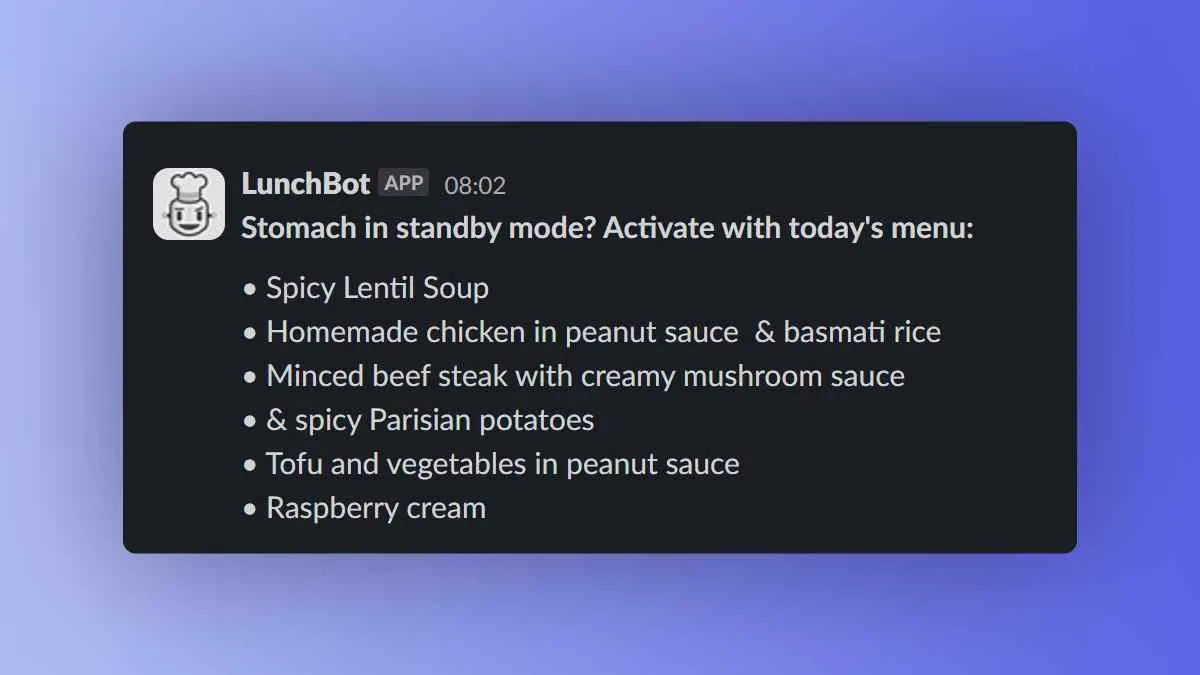
The original LunchBot fetching daily menus and posting them to Slack.